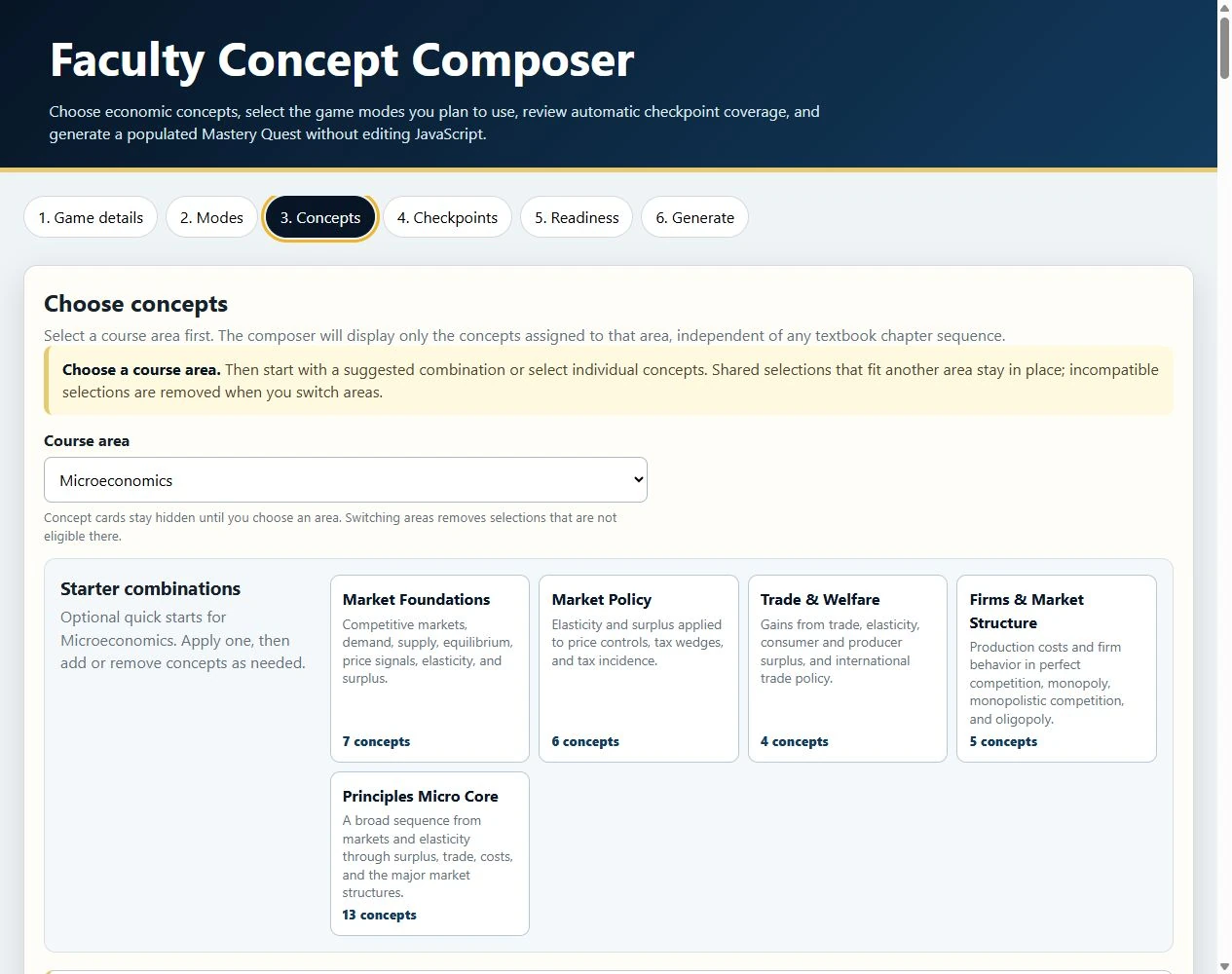
Choose a course area
With Microeconomics selected, the Composer shows starter combinations and individual concepts for that course area.
Open full screenshot
Product examples
Faculty choose the content and practice modes. Students work through real graphs, calculations, and applied questions. Mastery Reports summarize performance and evidence strength and may recommend a Concept Review before students return to practice.
These demonstration snapshots show a Composer build, a ten-mode game, and Concept Reviews. They show how the games work, though some controls have changed since the screenshots were taken. These examples do not establish how much the games improve learning. See the current Composer workflow.
Build the experience
The Composer groups concepts into General Economics, Microeconomics, and Macroeconomics, each with its own color. Faculty can start from a course-area combination or select concepts directly, then choose learning-outcome coverage. The screenshots below predate those outcome controls; the coverage guide shows current choices.
With Microeconomics selected, the Composer shows starter combinations and individual concepts for that course area.
Open full screenshot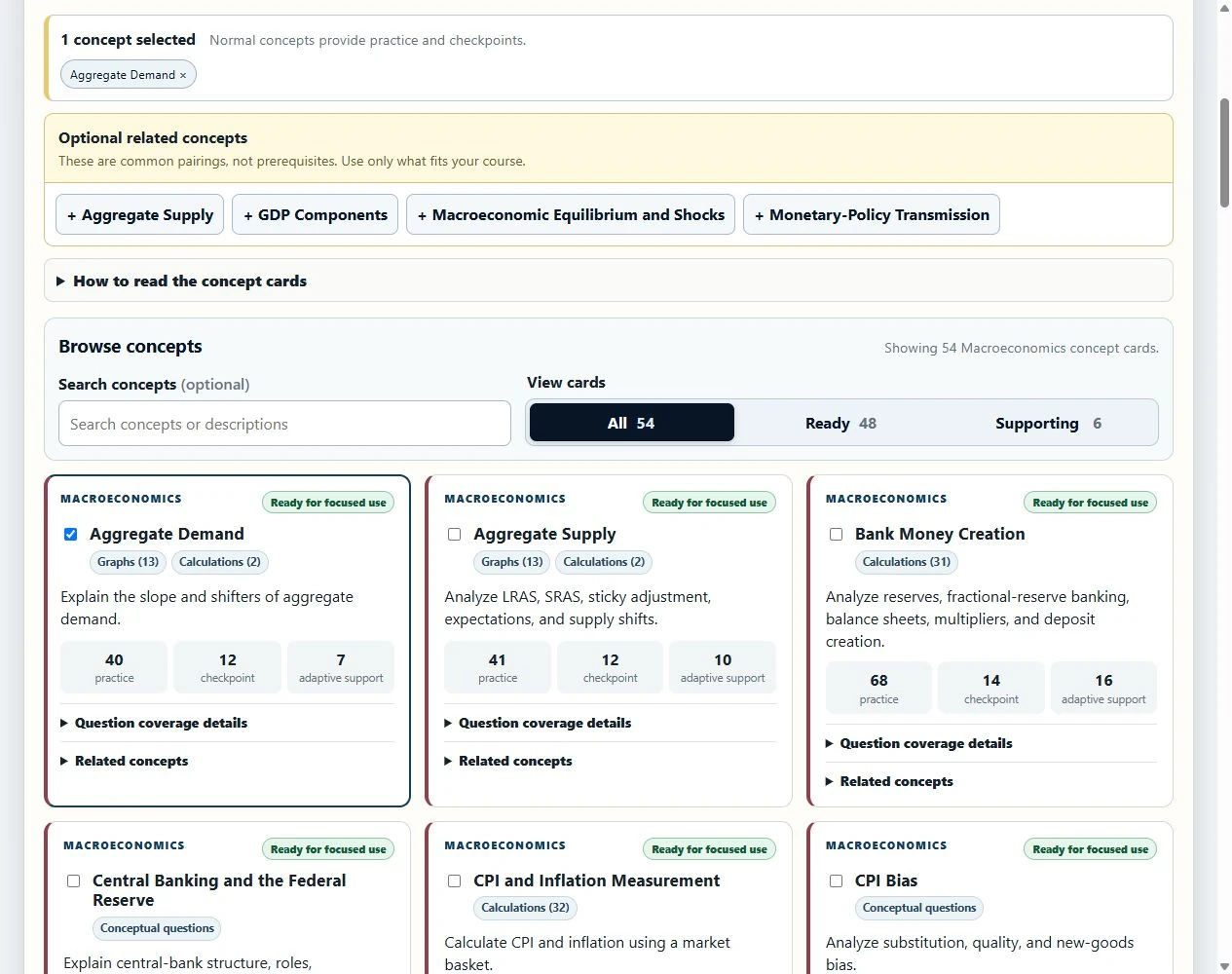
Aggregate Demand is selected while related Macro concepts remain available. Burgundy highlights identify the Macroeconomics concepts.
Open full screenshotComposer games run as self-contained HTML files. For hosting, LMS embedding, and the limits of client-side answer-key hardening, use Faculty Resources.
Choose how students practice
Faculty enable the modes that fit the assignment. After selection, the chosen Guide introduces the Quest; the Game Menu can replay that introduction, manage fullscreen, and show the rotating Daily Task as it progresses alongside normal play.
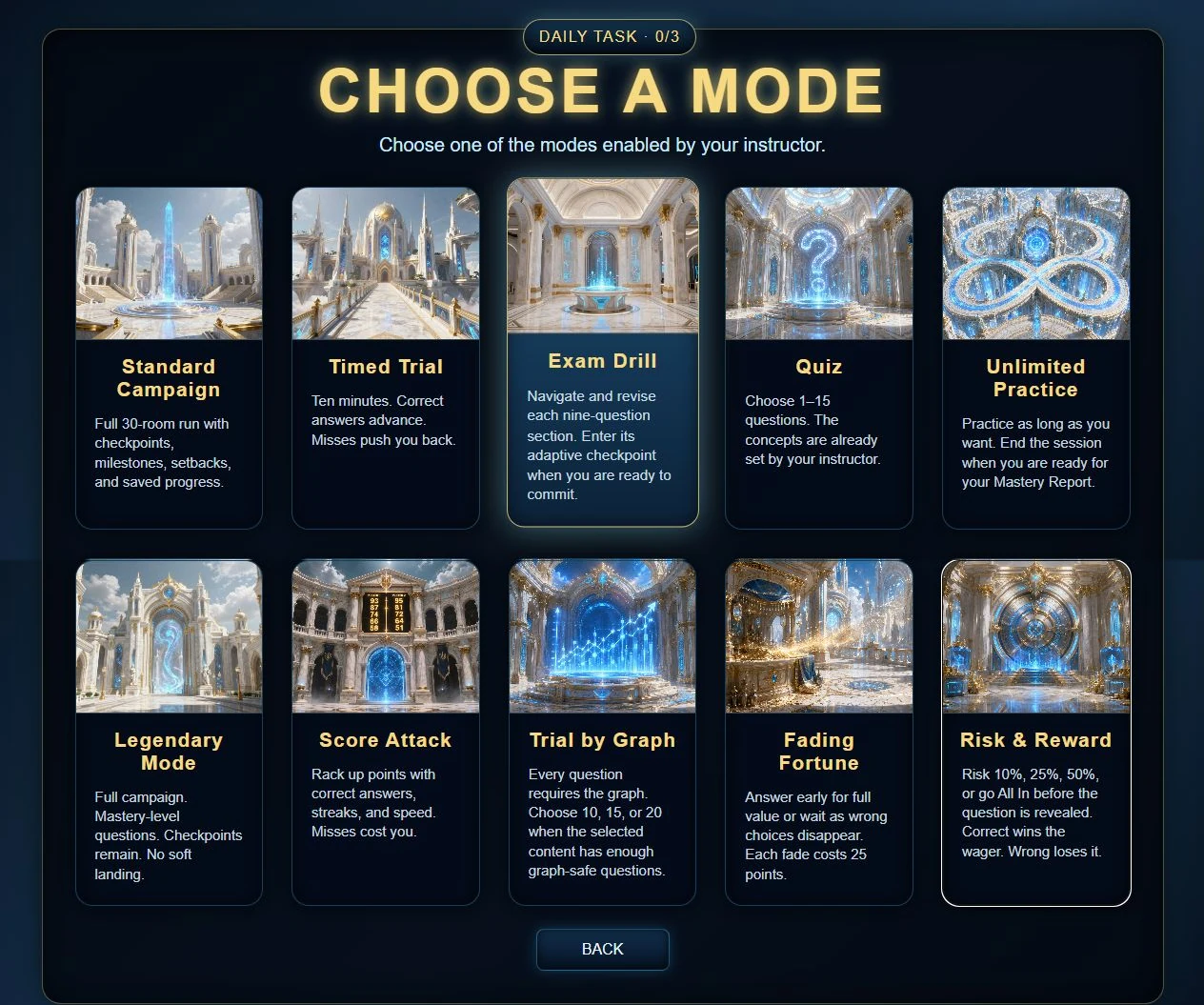
The generated game displays only the modes enabled by the instructor. This demonstration build enables all ten. Availability in another build or collection depends on its content and settings.
Open full screenshotFull 30-room mastery progression with milestones, setbacks, saved progress, and checkpoints.
A ten-minute run where correct answers advance and misses push the student back.
Nine-question sections support answered/unanswered navigation, review, and revision before deliberate checkpoint commitment. Correctness stays hidden while the section is active, and artifact powers are disabled.
A fixed 1-15 question run using the concepts already selected by the instructor.
Adaptive practice that continues until the student ends the session and generates a report.
A full campaign built from mastery-level questions with checkpoints and no soft landing.
Accuracy, streaks, and speed build the score; misses reduce it.
A fixed run made only from audited questions where the graph is required.
Wrong choices disappear over time while the available value falls from 100 toward 25 points.
Students risk 10%, 25%, 50%, or all of their bankroll before the question appears.
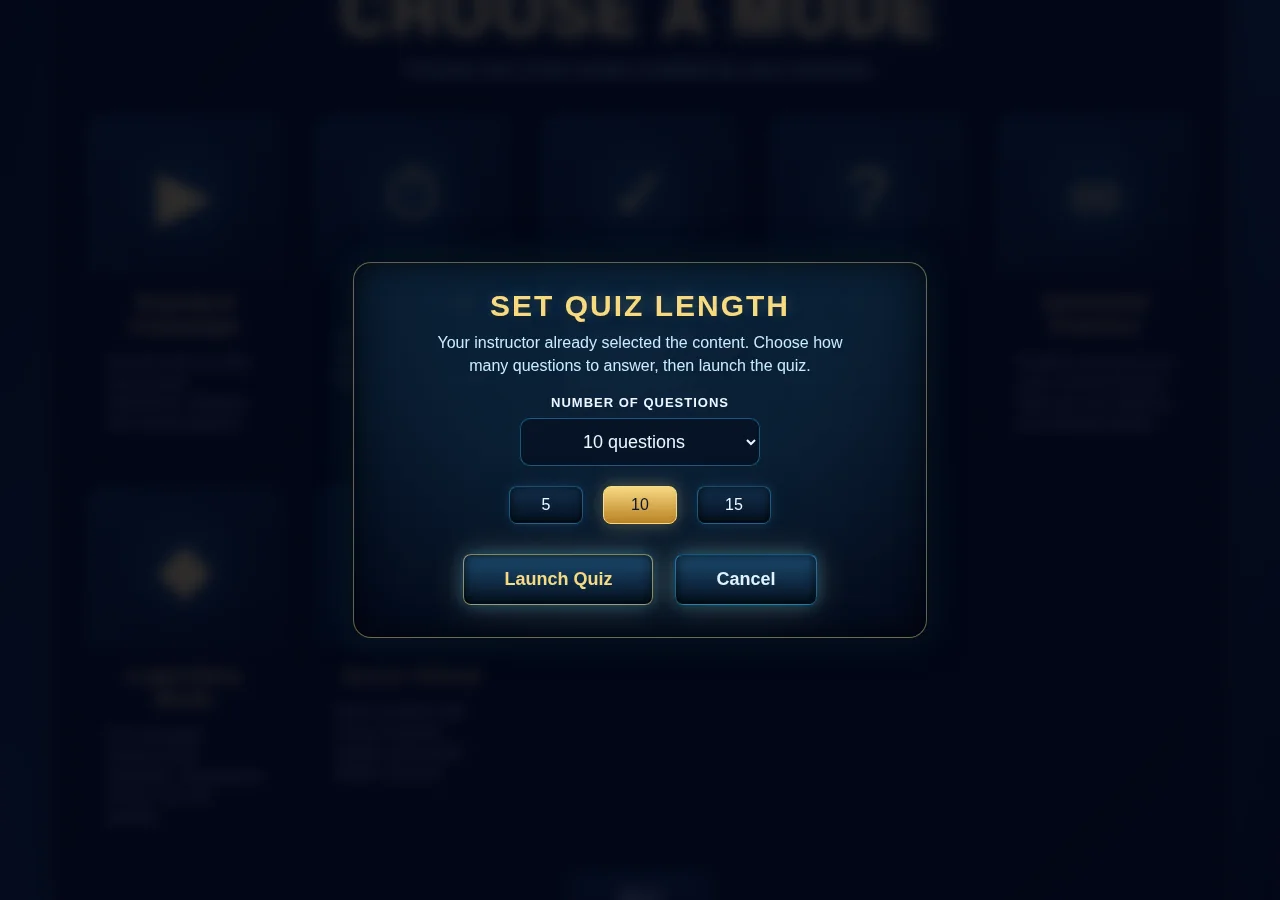
The student chooses 1-15 questions; the instructor's concept selection stays fixed.
Open full screenshot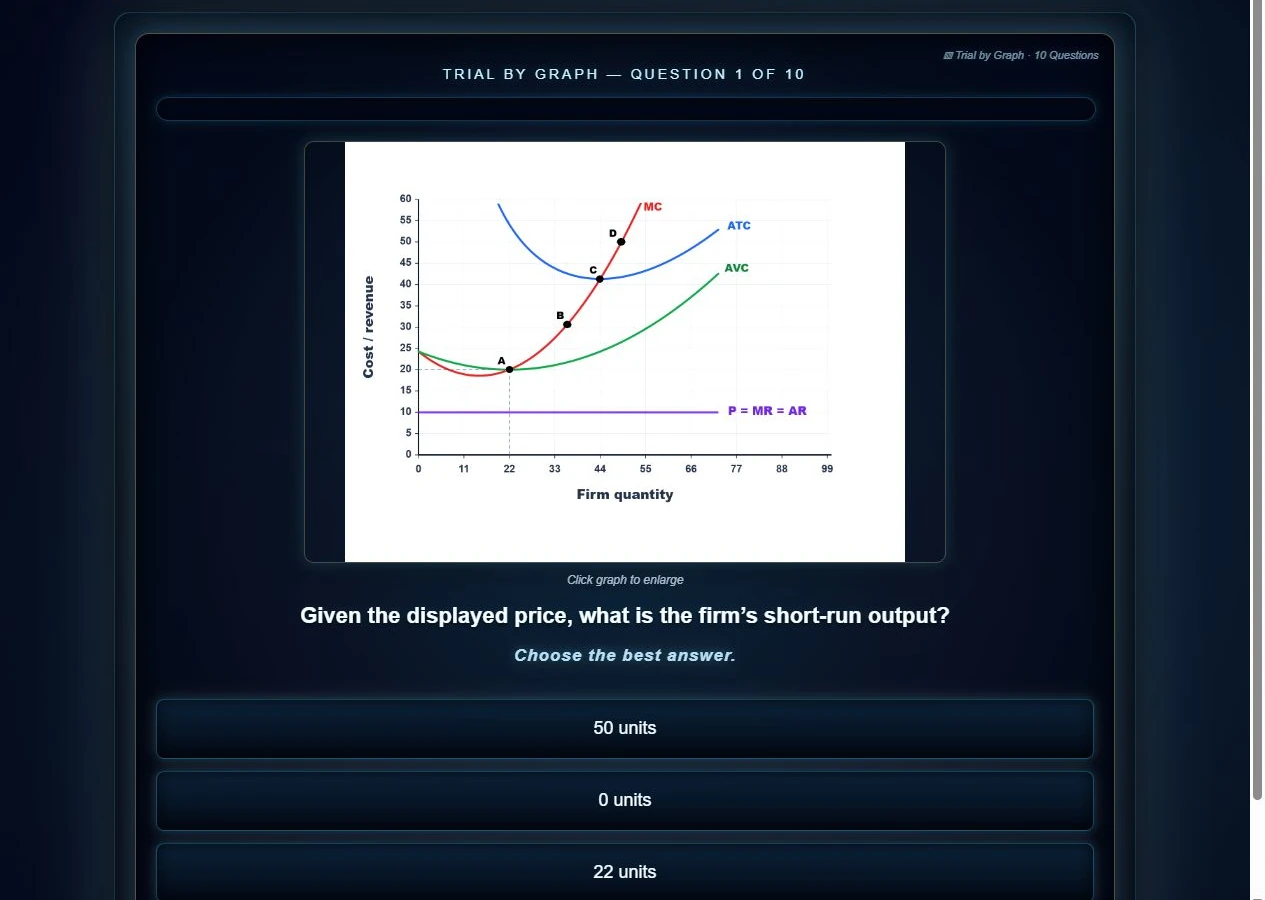
Every item requires its graph. This firm-cost question shows the mode identity, readable labels, and normal answer controls.
Open full screenshot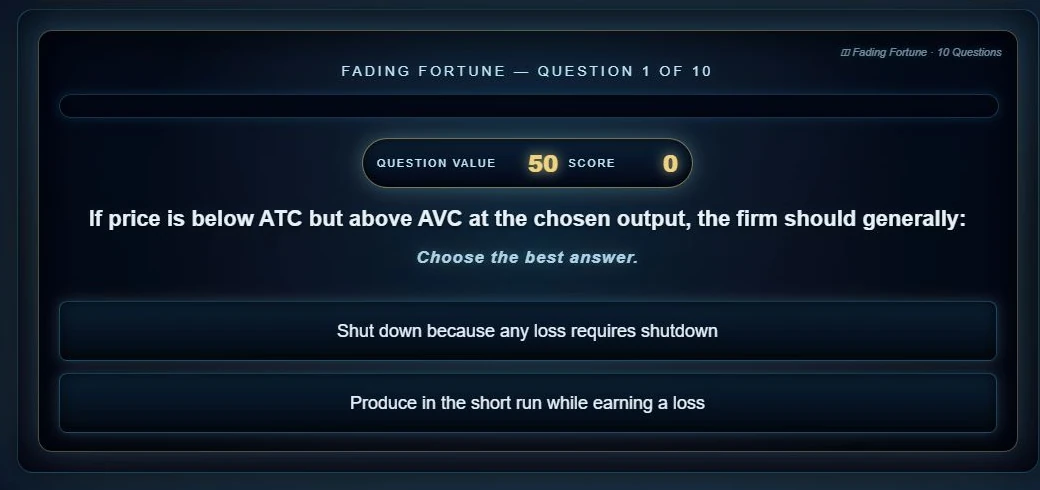
The question began with four choices and 100 points. Two fades later, two choices remain and the available value is 50.
Open full screenshot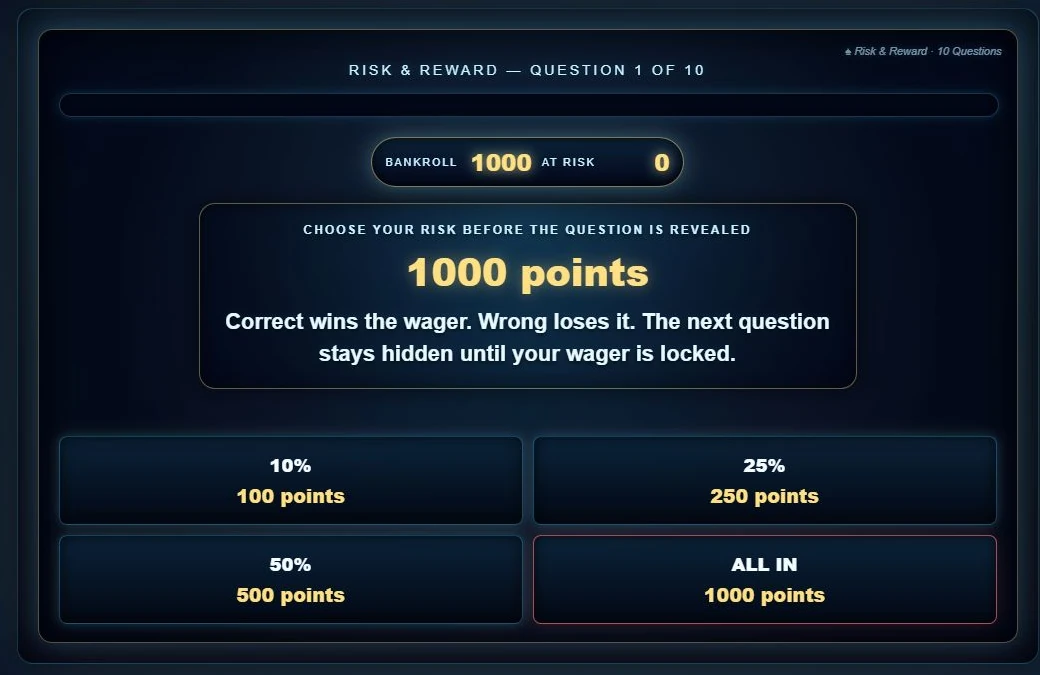
The question remains hidden until the student locks a wager. A correct answer wins the stake; a wrong answer loses it.
Open full screenshotSee the questions
The Trial by Graph example above provides the graph-required evidence. These current screens add conceptual application, economic calculation, and checkpoint-level reasoning.
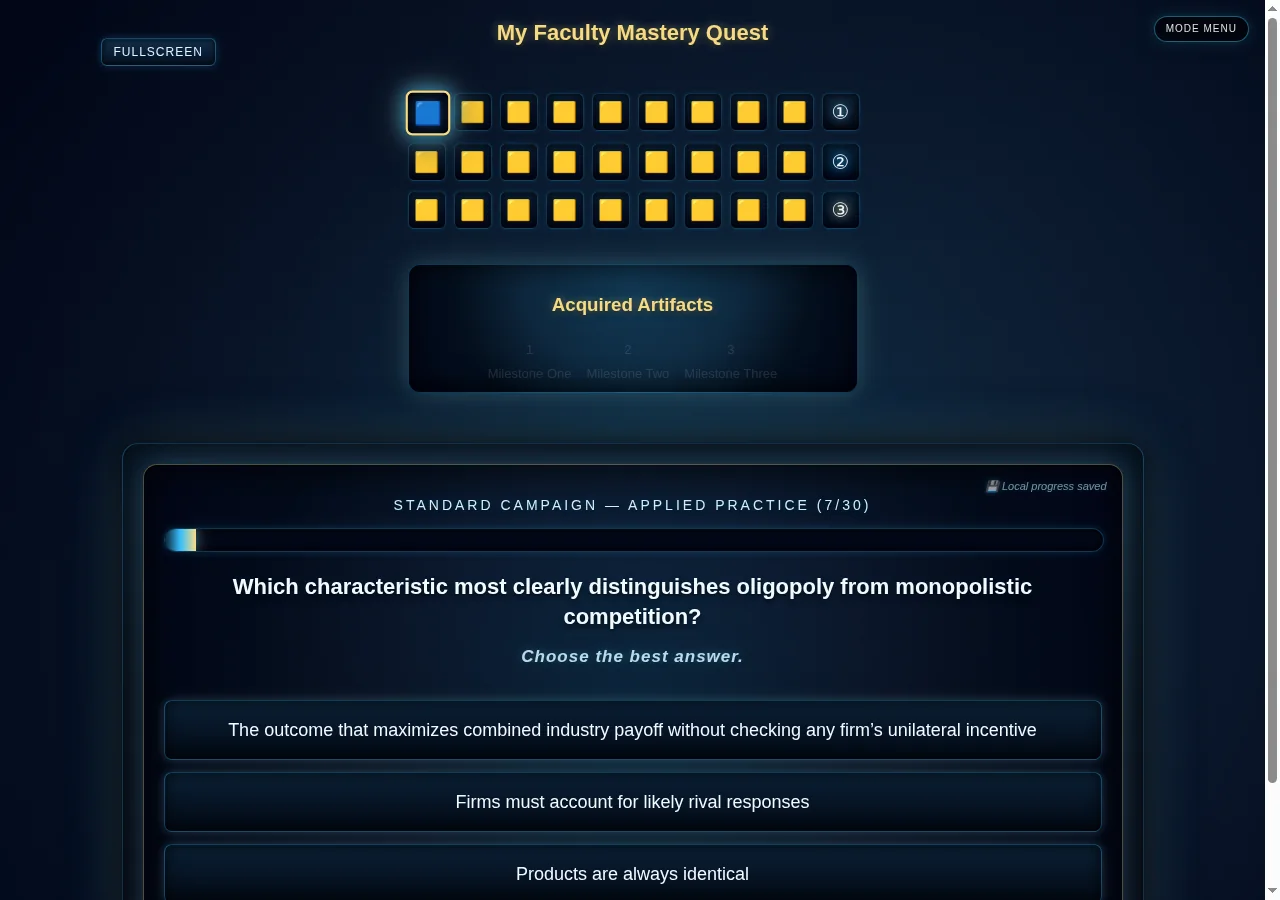
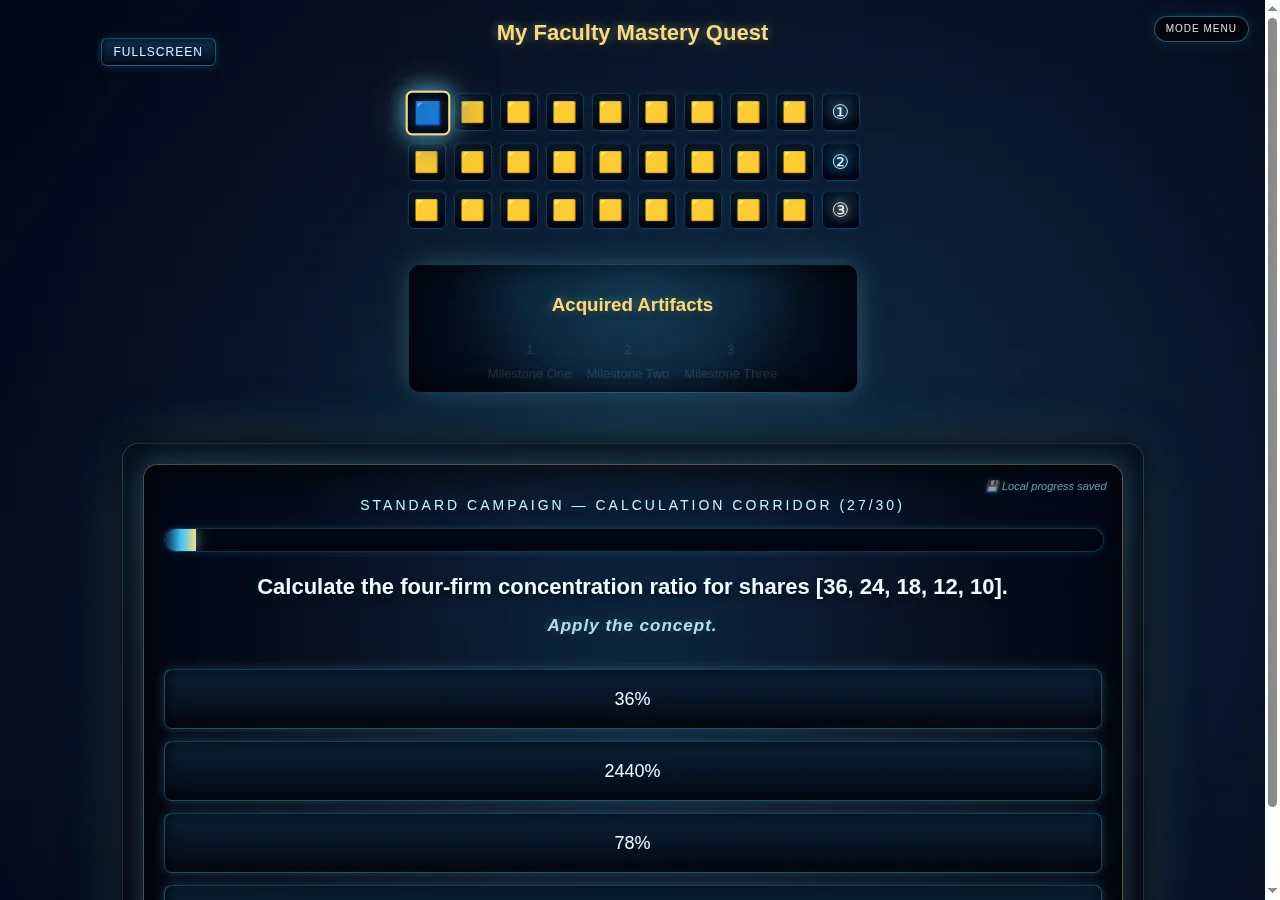
This item requires the student to compute a four-firm concentration ratio from market-share data.
Open full screenshot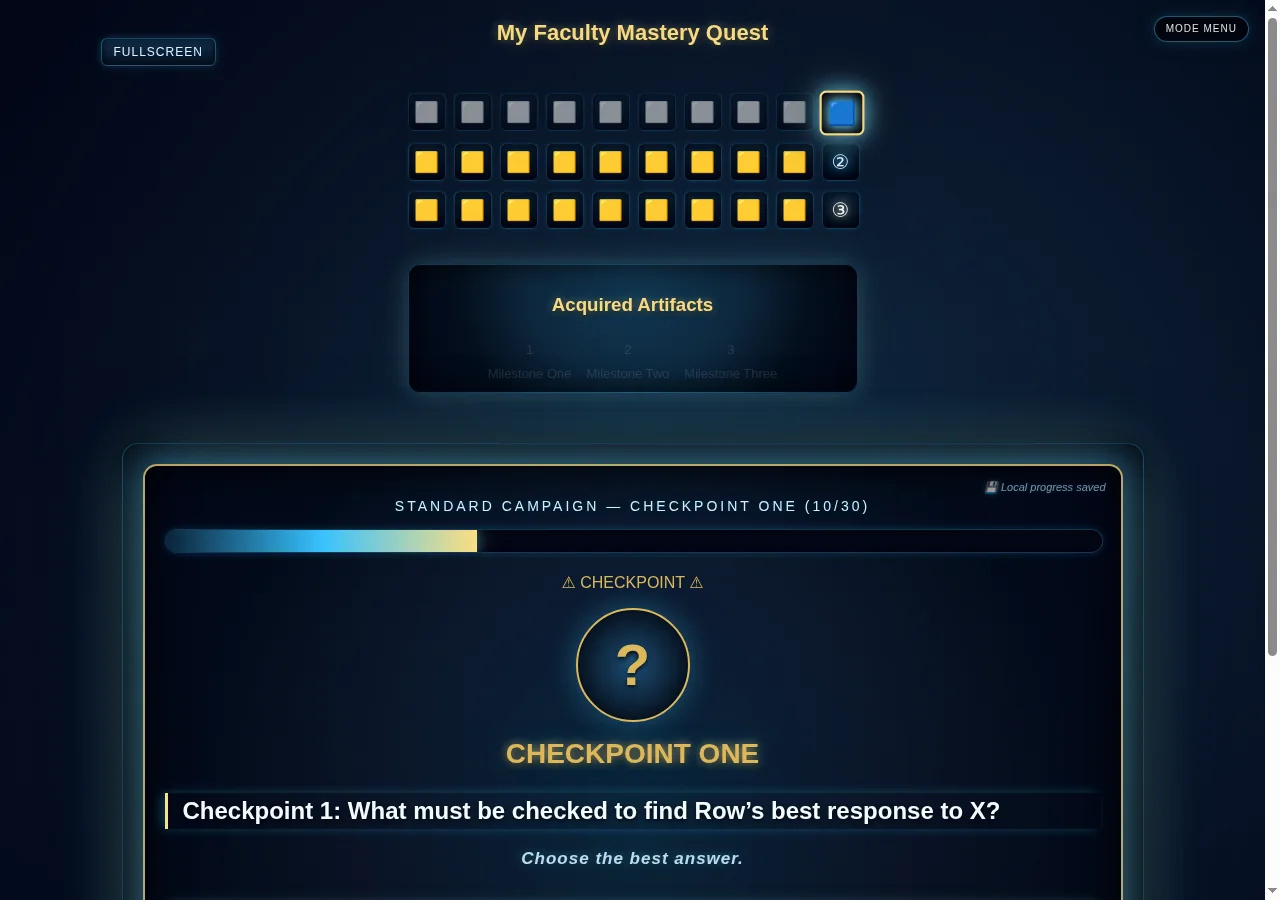
Each checkpoint opens with a guardian introduction, followed by a short set of questions on the learning objectives. When there is enough information, the introduction mentions an area the student has struggled with.
Open full screenshotDiagnose mastery
The report shows how the student performed and how much information the game has to judge that performance. It can suggest a Concept Review for an area that needs work. In this example, the student struggled with scarcity and questions that asked them to apply a concept.
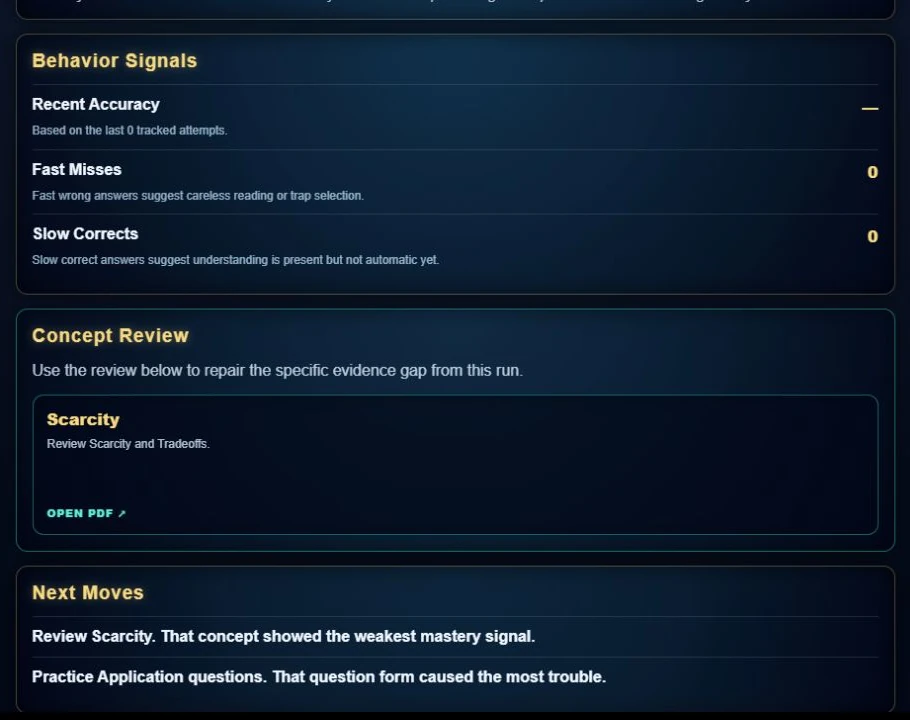
The report recommends the Scarcity Concept Review based on the student's answers. After reading it, the student can return to the game to practice.
Open full screenshotCollect the evidence
This is an actual Unlimited Practice export from a deliberately varied demonstration run. The run includes correct answers, streaks that increase difficulty misses, Repair, Bridge, Retest, graph and application items, response-time evidence, and rapid-guess events so faculty can inspect what the downloadable record contains.
This retained demonstration file contains 41 columns of event-level telemetry. The preview below shows a small set of actual rows and the fields faculty are most likely to inspect first. Current public and classroom Managerial games have a current 88-column local schema; consult the Telemetry Data Dictionary. Rapid-guess events are logged, but they do not increase the counted-attempt denominator.
| Event | Attempt | Concept | Question form | Difficulty | Outcome | Response | Adaptive route |
|---|---|---|---|---|---|---|---|
| Question | 2 | Marginal | Application | Easy | Correct | 6.9s | Diversify |
| Question | 20 | Models And Assumptions | Application | Repair | Miss | 11.5s | Repair |
| Question | 8 | Scarcity Tradeoffs | Application | Bridge | Miss | 2.1s | Bridge |
| Question | 10 | Scarcity Tradeoffs | Application | Easy | Correct | 9.5s | Retest |
| Rapid Guessing | 15 | Micro Versus Macro | Application | Easy | Rapid guess | 0.8s | Non Engaged |
| Unlimited Ended By Student | 29 | — | — | Repair | Run ended | — | Unlimited_Ended_By_Student |
Collect Mastery Reports and game-data CSVs through your LMS, then open Class Answer Analysis to combine the files. Compare topics and learning objectives, check the response counts, and open questions to see the choices students selected.
Synthetic demonstration: these screenshots use six invented game runs with 48 accepted responses and 20 correct answers (42%). They illustrate the functioning tool and contain no student records.
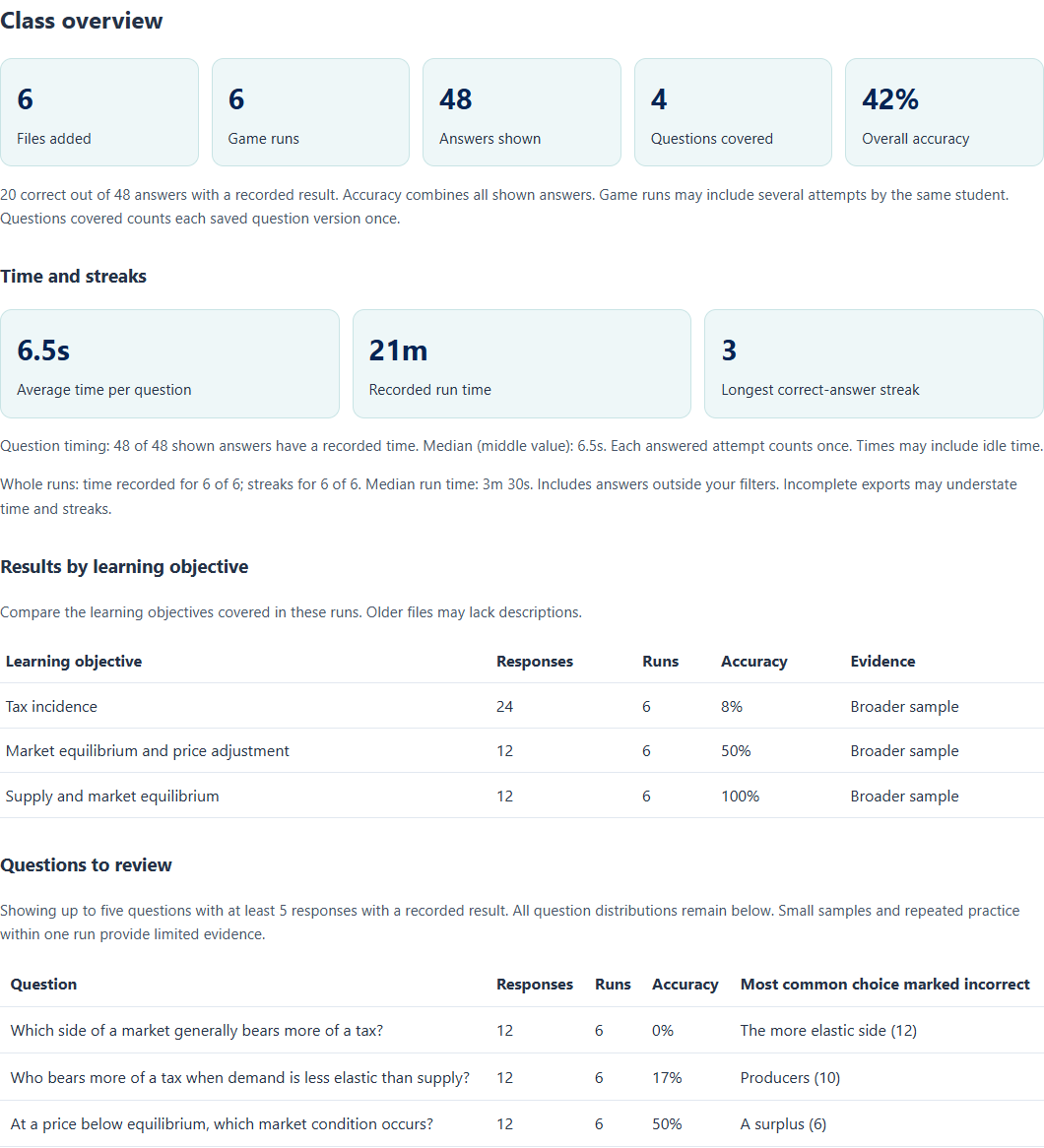
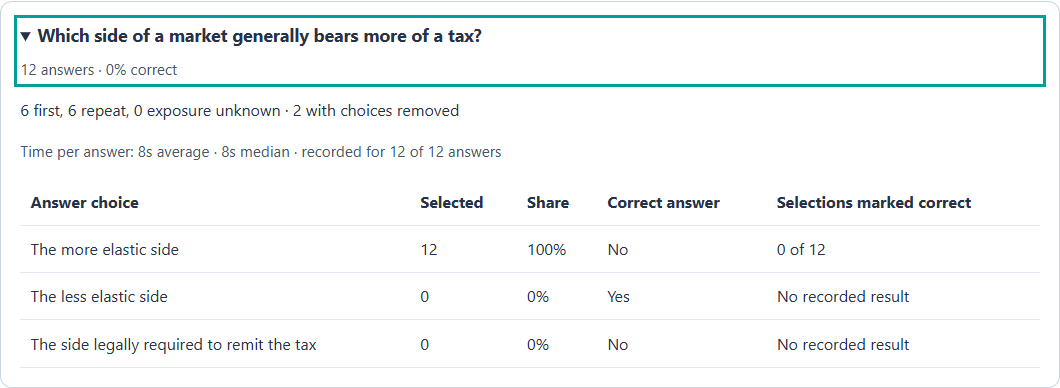
Copy the class summary, review its sample-size qualifications, and adapt the wording for your course. The response patterns can guide classroom questions and additional practice; faculty judgment is needed to understand why an answer was selected. Files stay in your browser.
Review the concept
Concept Reviews provide a concise explanation, recognition cues, a common mistake, a worked example, and a check-yourself prompt. These previews show the review sheets students can open from their reports.
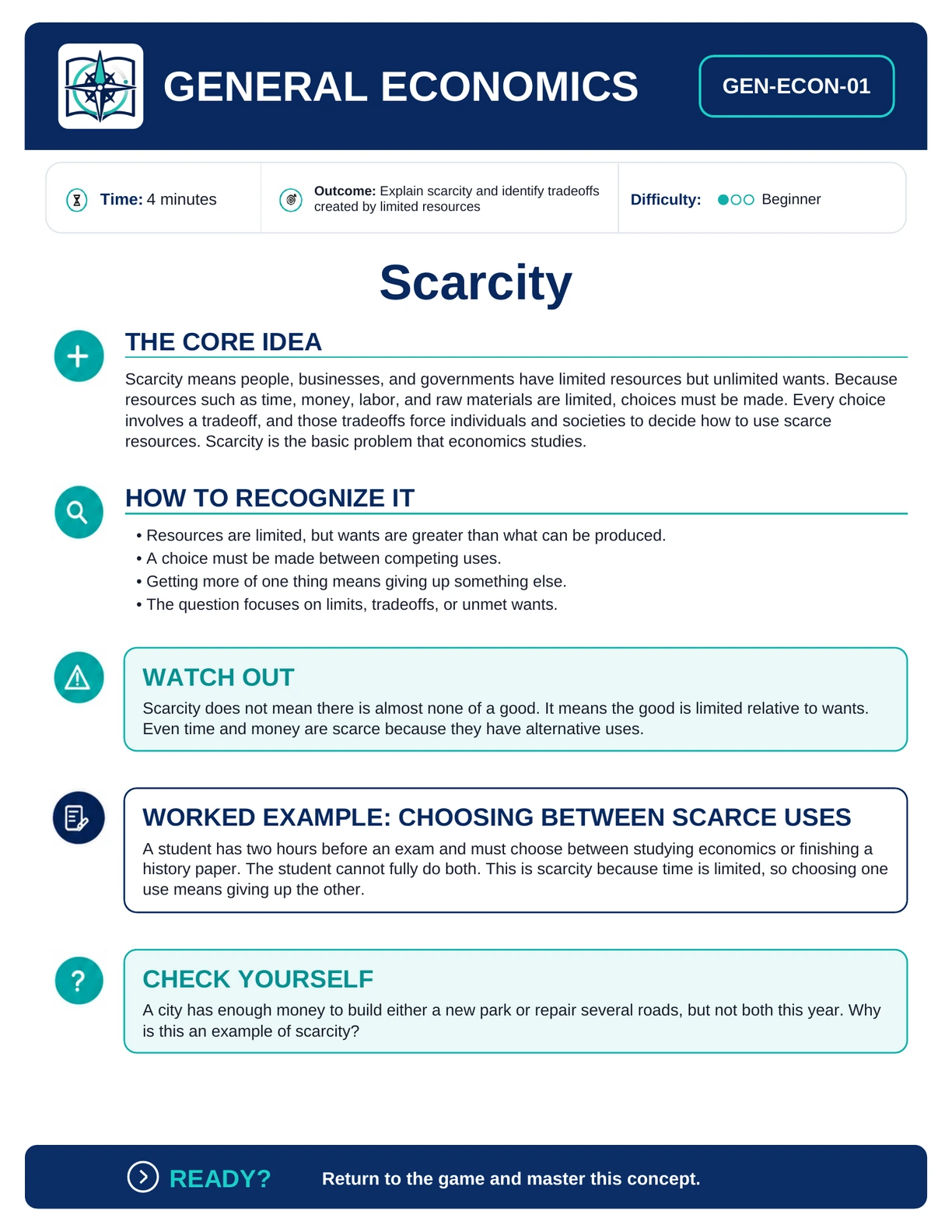
The non-graph sample repairs the core relationship among limited resources, choice, and tradeoffs before the student returns to the game.
Open full preview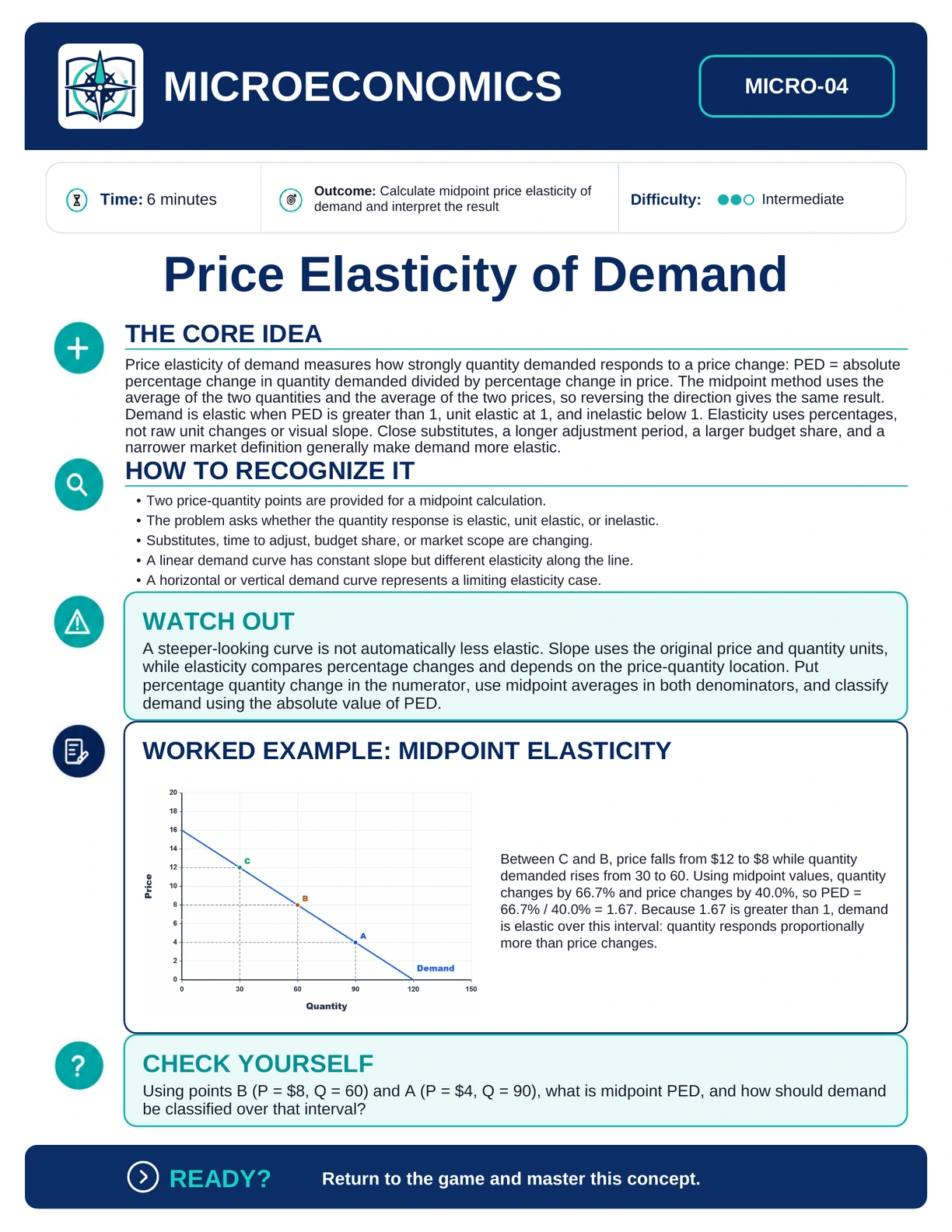
The graph-based sample combines the midpoint calculation with a labeled demand curve and a worked interpretation of elastic demand.
Open full previewReturn and master it
After reading the one-page review, students return to the game to practice the concept. Repair questions revisit the basics, Bridge questions help students apply them, and another round of practice shows how they are doing.